Dorico Notation Software ♪
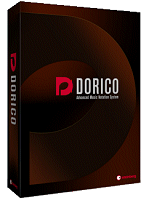
Dorico, the brand new music notation application and scoring software for professionals from Steinberg. The next-generation standard scoring application for composers and musicians.
To make your projects sound incredible, Dorico includes the complete HALion Symphonic Orchestra library and more than 1,300 production-ready sounds from HALion Sonic SE 2. HSO includes more than 100 patches and combinations, including strings, woodwinds, brass and percussion instruments with dozens of different playing techniques, covering all common articulations and bowings in unrivaled expressiveness and full dynamic range.
Dorico includes the same world-class audio engine that powers Cubase and Nuendo, delivering a crystal-clear 32-bit floating-point resolution and 192 kHz sample rate, with a pristine sound quality that is the hallmark of the Cubase music production experience. Dorico supports all VST 3-compatible virtual instruments and effects, and includes the HALion sample engine and channel strip modules, including a top-end compressor and brickwall limiter that can be inserted on each channel.
Audio engine
32-bit floating point audio engine‡
Supports all VST 3-compatible virtual instruments and effects plug-ins‡
Supports specific whitelisted VST 2-compatible virtual instruments and effects, including NI Kontakt
Includes Generic Low Latency ASIO Driver for audio devices without dedicated ASIO drivers‡
Included plug-ins
HALion Sonic SE 2 sampler workstation instrument‡
More than 1500 production-ready sounds from the HALion Sonic SE 2 factory collection
The complete HALion Symphonic Orchestra library, including more than 100 high-quality orchestral patches‡
REVerence convolution reverb effects processor
More than 30 other effects processors, including compressor, brickwall limiter, delay, conventional reverb, guitar amp simulator, and many more‡
Mixer
True audio mixer with per-channel insert/send effects and routing control, plus integrated channel strip with four-band parametric equalizer
Separate channels for each output from each virtual instrument in the rack
Master effects channel fader with default REVerence reverb
Hide/show controls for inserts, sends, routing, EQ
Mute/solo tracks
Make faders narrower or wider to fit more faders into view
Score interpretation
Automatic generation of tempo map from tempo marks in the project
Automatic generation of dynamic profile from immediate and gradual dynamics in the project
Playing techniques result in changes of VST Expression Map‡
Playback control
Start playback from playhead location, start of selection, start of flow, last playback start location
Fast-forward/rewind Play mode
Dedicated Play mode interface with piano roll event display
Each voice for each instrument displayed as a separate track
Expand/collapse each track to see either played regions or individual events
Expand/collapse automation lane for editing controller data and dynamic profile (limited functionality)
VST Instruments panel allows the loading/unloading of VST plug-ins, and showing their editor interfaces
All Features marked with ‡ are unique to Dorico and not found in any other commercial desktop scoring software
 Dorico Notation Software ♪
 To make your projects sound incredible, Dorico includes the complete HALion Symphonic Orchestra library and more than 1,300 production-ready sounds from HALion Sonic SE 2. HSO includes more than 100 patches and combinations, including strings, woodwinds, brass and percussion instruments with dozens of different playing techniques, covering all common articulations and bowings in unrivaled expressiveness and full dynamic range.